Ocean™ 2021 is now available !

splashscreen_ocean
Following both our customer needs and market requierements, Eclat Digital is glad to present you the new release of Ocean™ 2021. The focus was put on the improvement of dedicated physical models, enhancement of the user experience and development of brand new operating tools. These new features are exhaustively listed here :
Physical models
  • Surfacic fluorescence implementation
  • Polarisation enhancement and stabilisation
New tools :
  • Standard camera uniformisation
  • Sky importer module development
The renderer :
  • New collider integration (Embree)
User Experience :
  • Spectrum visualisation tool enhancement
  • Layerset improvement
  • Default Exportation format upgrade
  • Layerset improvement

Physical models

Fluorescence

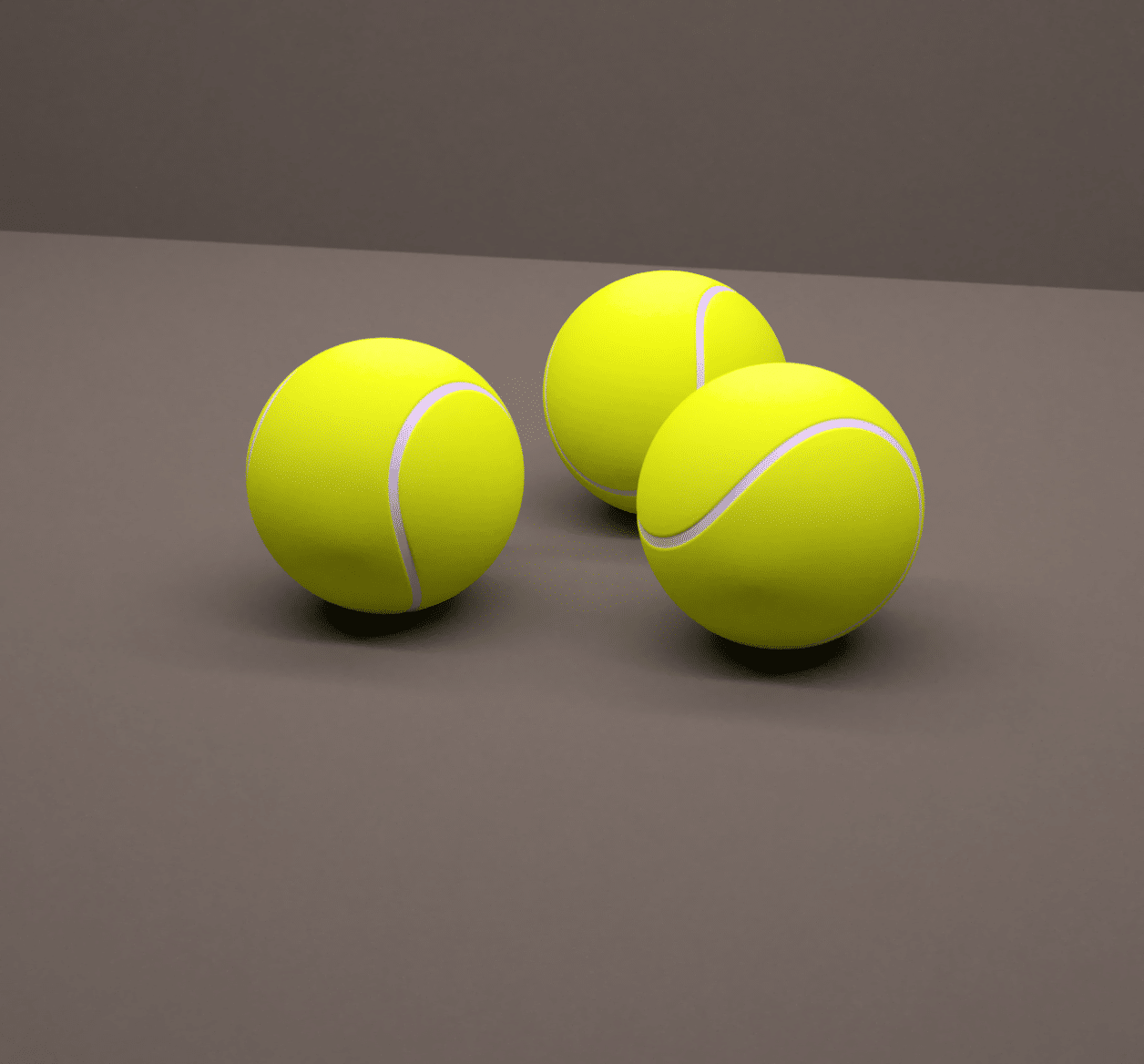
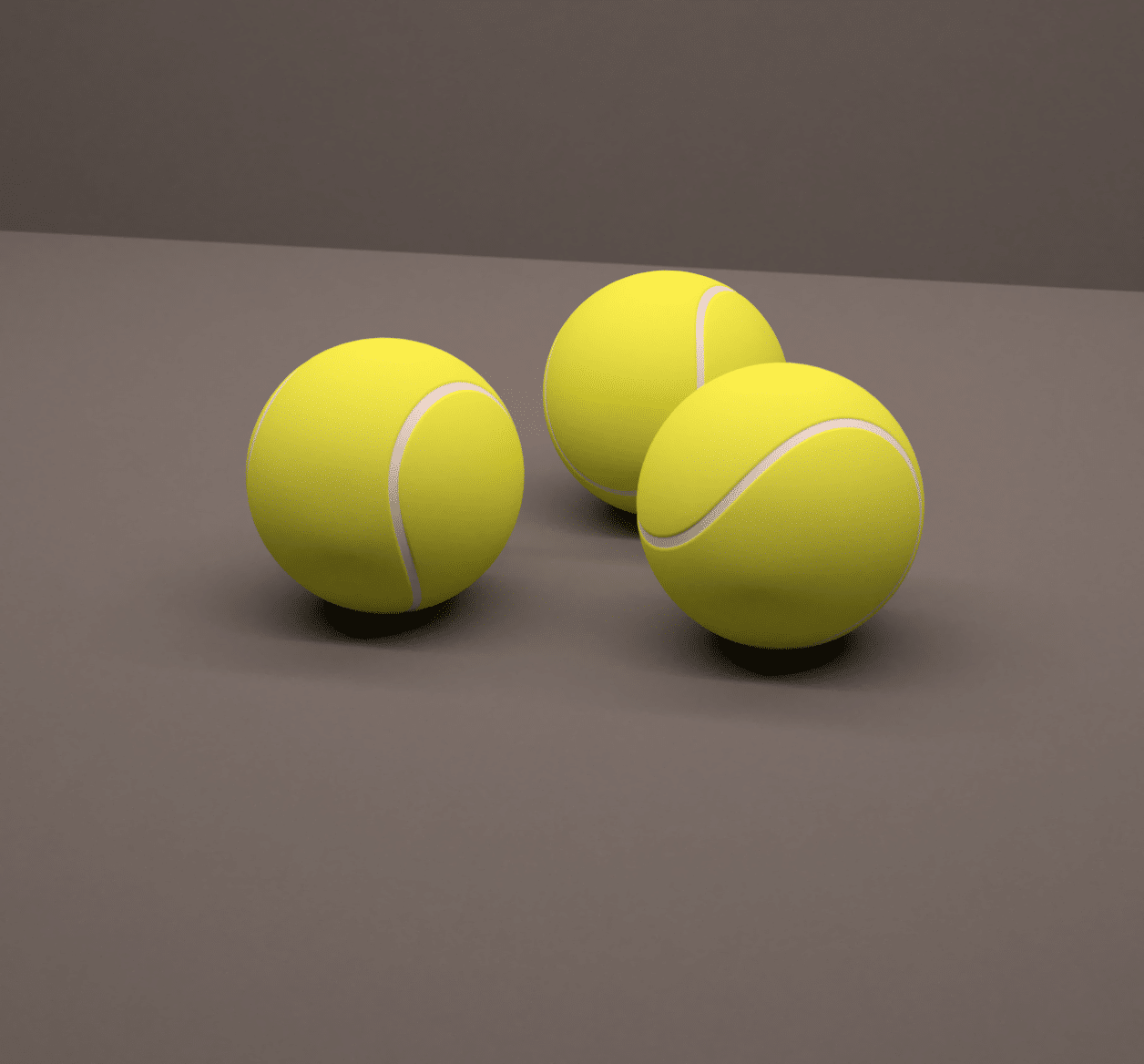
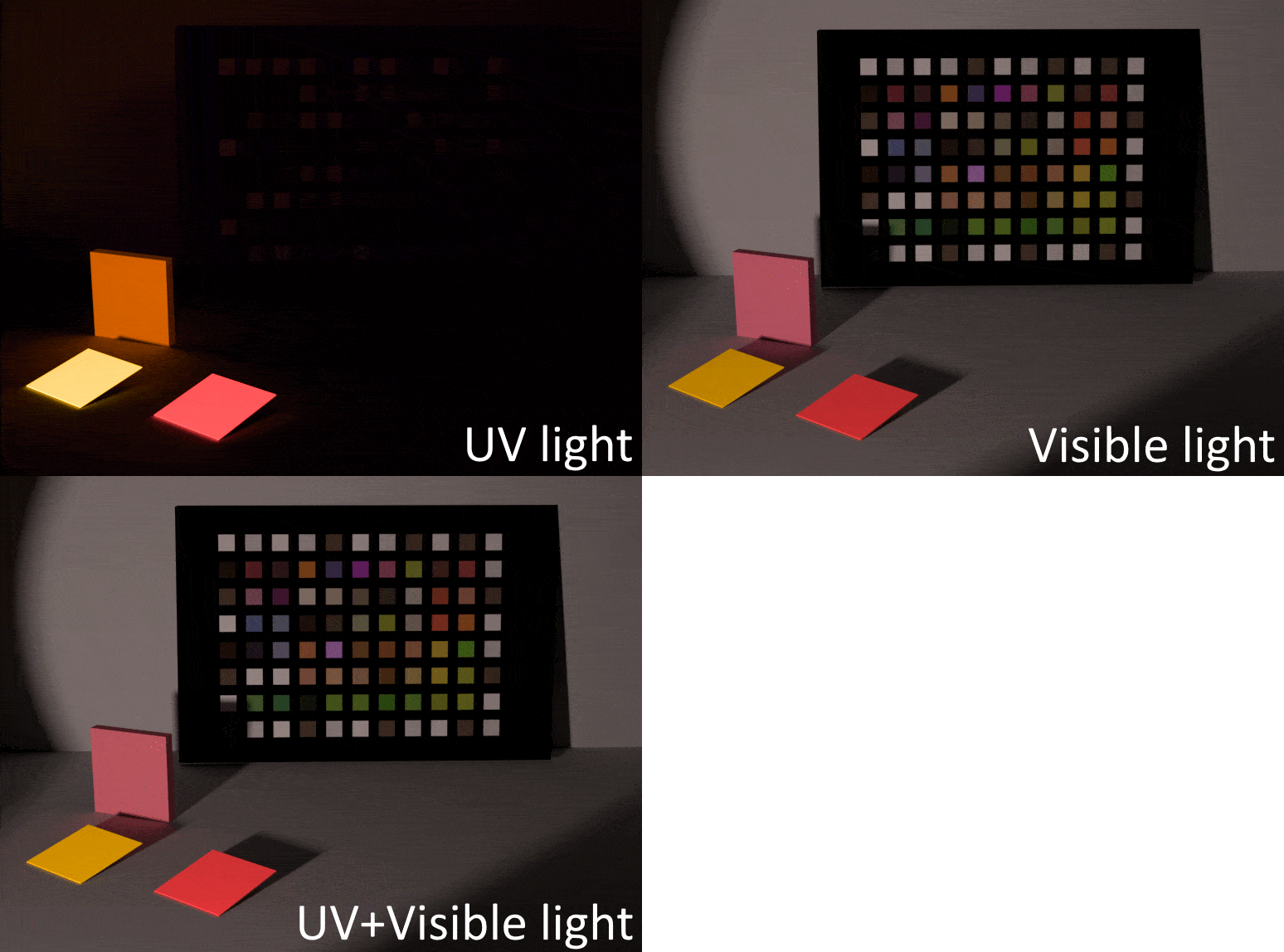
The new fluorescence feature is the breakthrough element into this new release. Being the first rendering software implementing a fluorescent node, Ocean™ 2021 goes one step further into the high accurate modelization of luminescent materials. Considered from both the appearance and photometric perspectives, this new feature find its interest into representing the physical behavior of fluorescent materials such as plastic, paper, paints and many more applications. As part of our constant improvement, we are currently developing the volumic fluorescence to deepen the Ocean™ capabilities and diversify projects. A dedicated blog article will be released in the coming weeks, explaining the fluorescence, it’s integration into Ocean™ and few applications examples.
tennis-fluo tennis-nofluo (1)
Example of the impact of surface fluorescence on a tennis ball rendering, with fluorescence (left) and without fluorescence (right).

Sticky paper under UV light only, visible light only and UV+visible light
Polarisation

Polarization is well present in our everyday life, even though it is almost not perceptible by human vision. For instance, polarization effect is used for polarized sunglasses to reduce glare from reflecting horizontal surfaces (snow, sea). It is also involved in photography with polarizing filters, for example to darken the sky and to increase contrast, or also to reduce or even eliminate parasiting reflections.

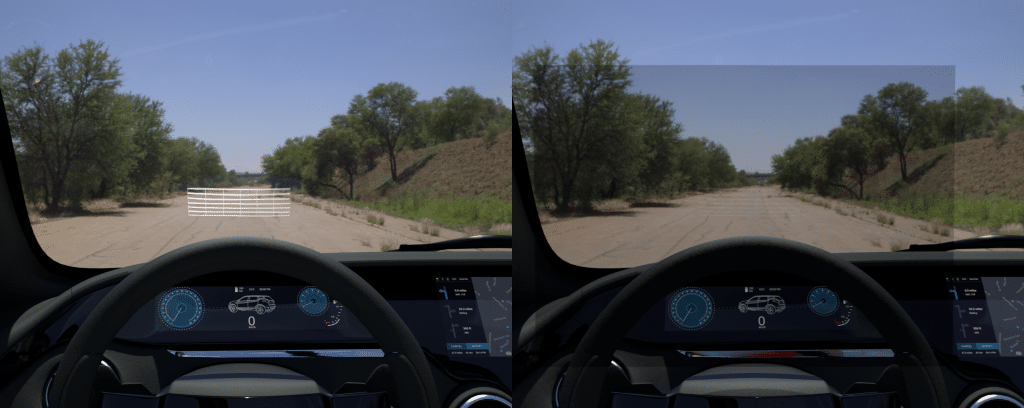
In Ocean™ 2021, light polarization properties are calculated for each interaction with dielectric materials (transparent materials such as glass or opaque materials such as metals), allowing to simulate all the aforementioned phenomena. Moreover, Ocean™ being a spectral path tracer, the polarization states of light is computed for each wavelength during the simulation, guaranteeing a level of accuracy and a result that is ever closer to reality. This feature includes for instance ideal reflection and transmission polarizers for instruments and lights, giving a fully embedded solution facilitating the user’s workflow to simulate complex devices such as polarized display systems.

HUD study example. Left image: classic HUD system, the image is visible. Right: classic HUD system, the image vanished since the driver wears polarized sunglasses.
Renderer

New collider integration (embree)

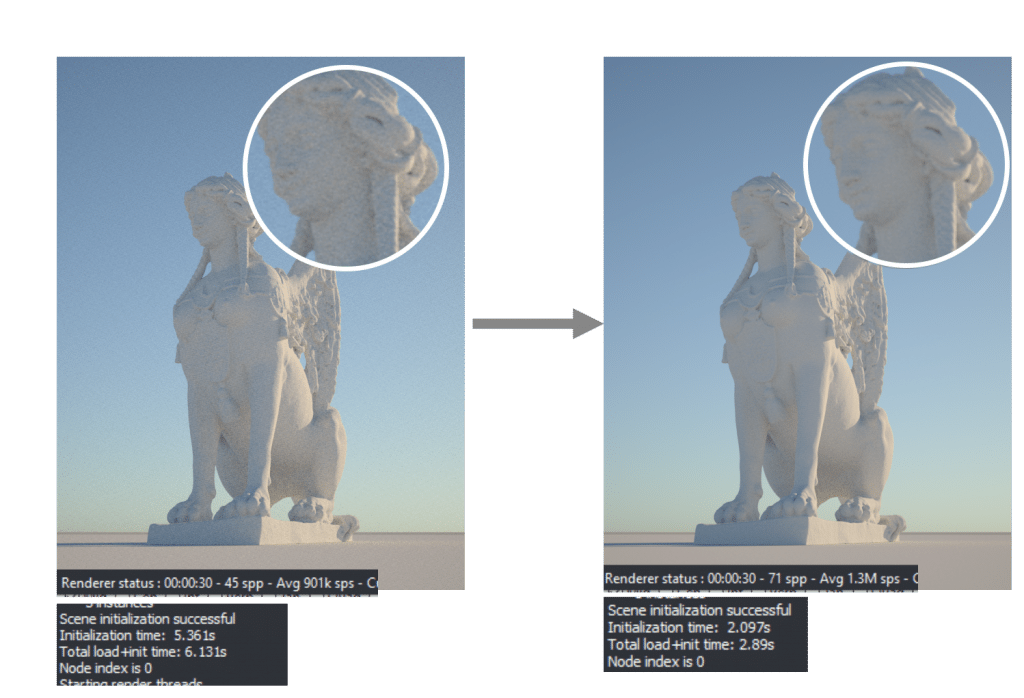
With the integration of Intel’s Embree collider, Ocean™ 2021 gives you the possibility to choose the right collider to use for your simulation. Indeed, Embree “improves the performance of photorealistic rendering applications”, and can drastically speed up computation timing (up to 200%), enabling to quickly run multiple simulations in parallel. However, by using this option, your simulation will lose some accuracy of its physical outputs. By knowing this, it is important to target specific projects where physical output accuracy is less important than the simulation quality.

Left image: use of BART, Right image: use of Embree. Embree is faster in loading time and calculation speed but is less accurate than BART double
New Ocean™ tools

Standard camera

cornel-box-1b cornel-box-2
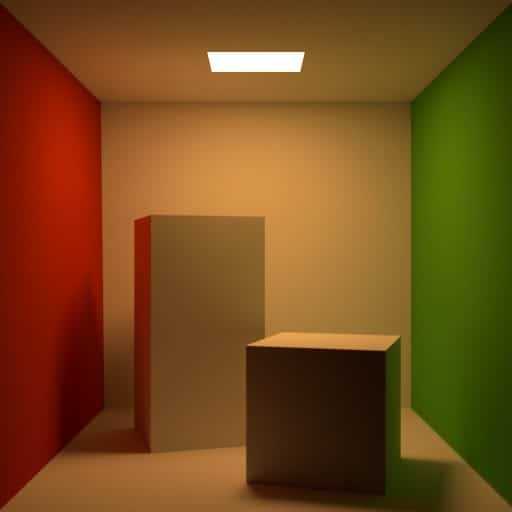
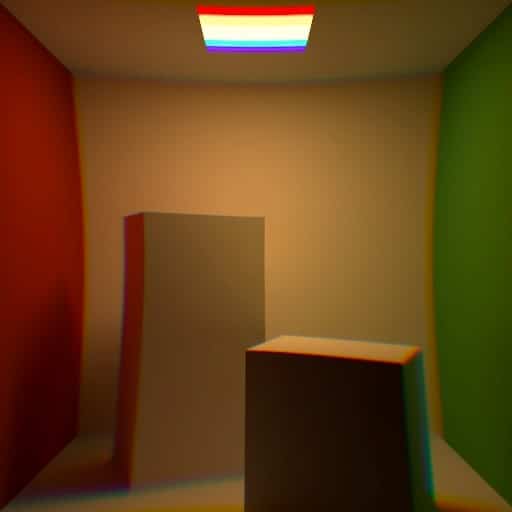
Cornell box rendered with a standard camera using chromatic distortion
A new camera type has been added: the standard camera. In Ocean™ 2021, this camera replaces the classical distortion camera, with a selection of five standard lens projections. Associated to the lens projection, a spectral radial deviation curve, allowing realistic lens distortion models with chromatic aberration from experimental data, can be added. A typical use case is self-driving car cameras, which typically have significant distortion and chromatic aberration. The instrument also features a new filter parameter. It allows to simulate colored and polarizing filters, as well as any filter that can be represented using an interface law. You can, for instance, launch simulations as if the scene was observed through colored or polarized sunglasses.

Sky importer

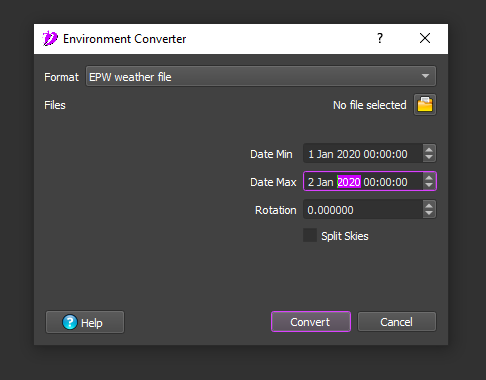
When dealing with physico-realistic rendering, lighting conditions play a major role. Thus, it is useful to have access to accurate weather data. With the new Ocean™ sky importer, you are now able to import an Energy Plus Weather file of a desired location and to create realistic illumination conditions for one hour, one day or a complete season. It is namely useful for photometric studies, such as daylighting, or to build sunrise to sunset animation for instance to evaluate the aestheticism of a building facade under daily illumination.

Sky Converter Screenshot

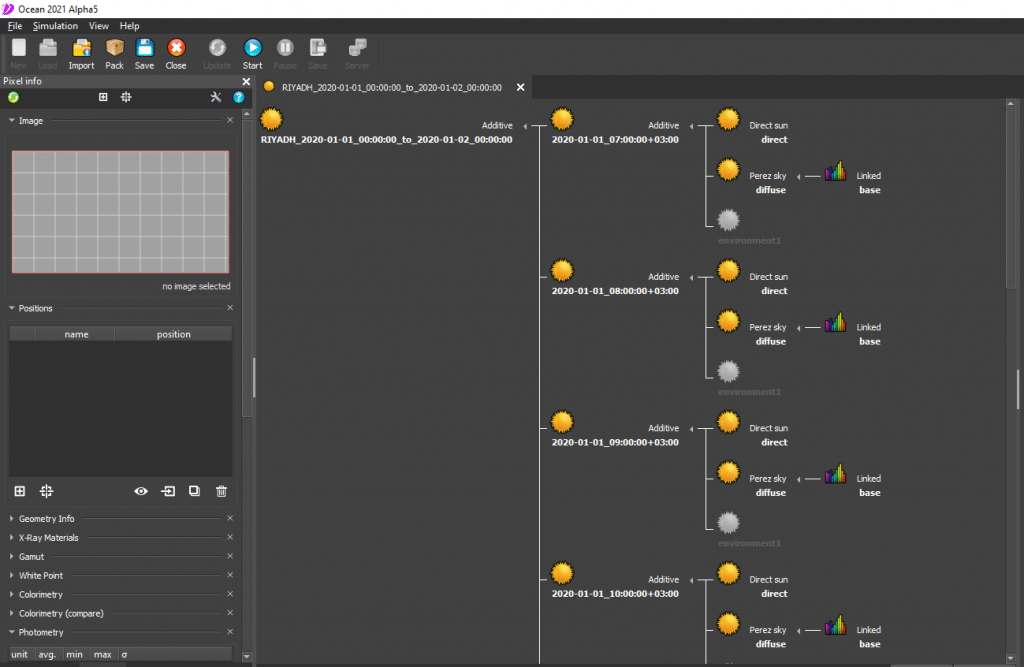
Corresponding result when not splitting at the import. Only one environment is in the object toolbox. The concatenated environment is an additive environment of sub-additive environments composed of a direct sun and a Perez sky.
User experience

Data visualization tool

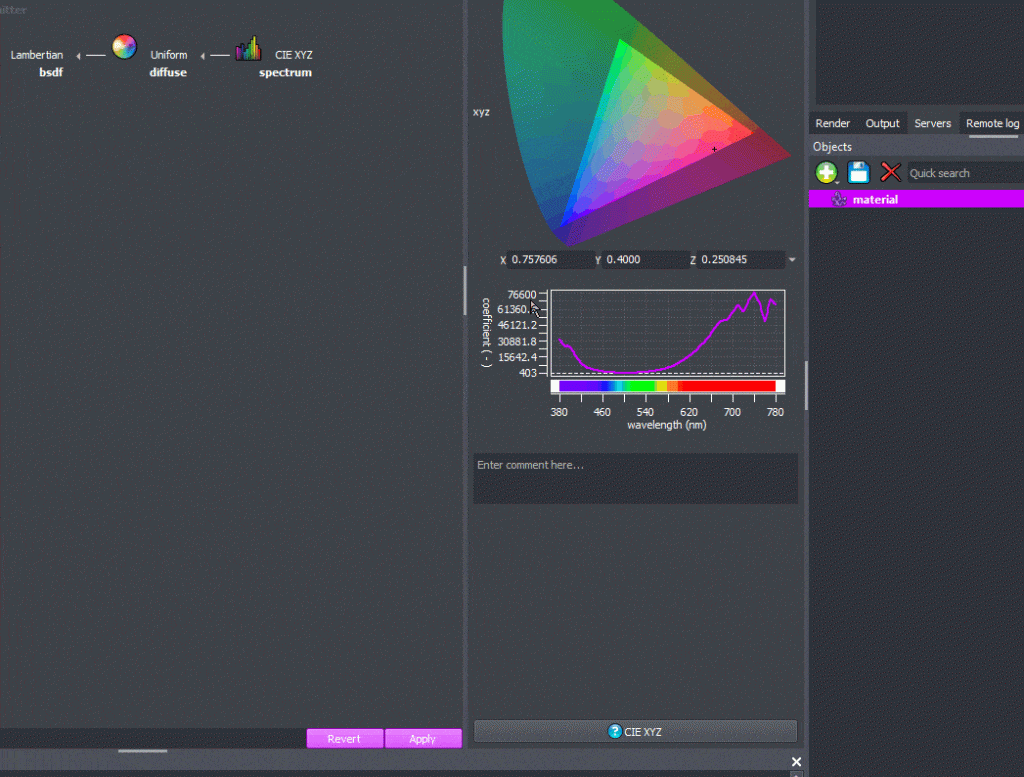
The spectrum visualization tool is used to validate data, or to quantify outputs. In Ocean™ 2021, you have access to a brand new and efficient visualization tool. You can now check your data reliably and produce reports or presentations more efficiently. Amongst the various new features of this plot: units and legends are now explicitly shown, and you can select the range of values to be displayed. This allows you to quickly reframe the visualization to a specific area of interest or to reliably compare two plots against one another. Finally, you can now copy the plot as an image to add to your presentations and reports, directly from Ocean™. Overall, this rework gives you more control over the visualization tool and fast track your processes.

Changing the units, range of values, and legends
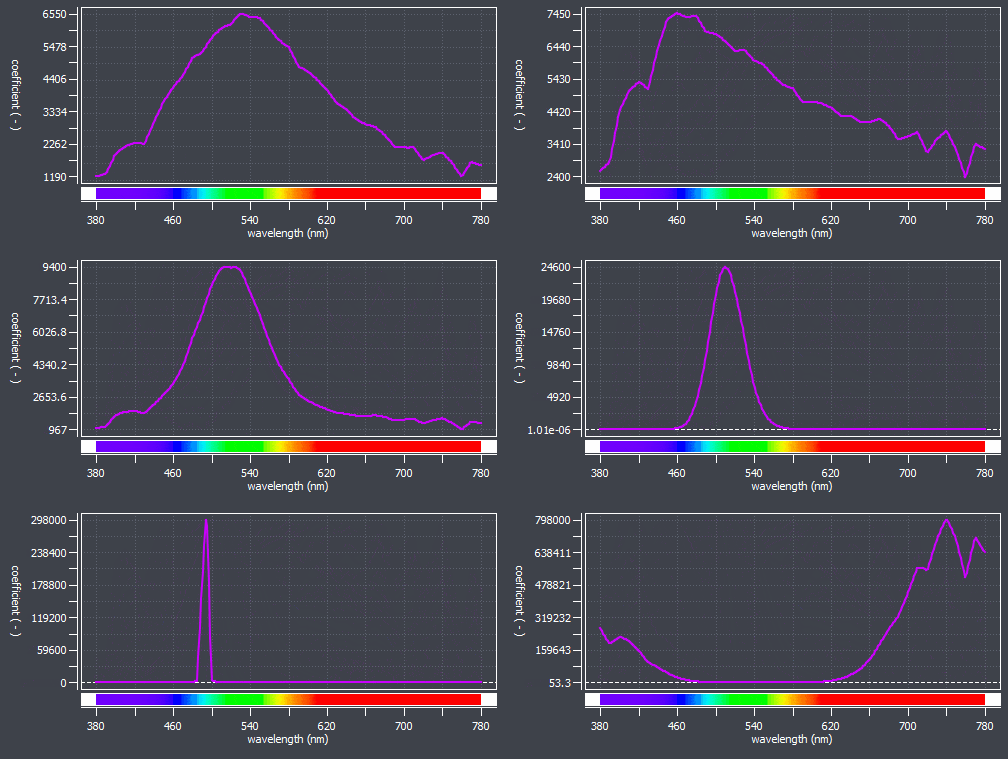
Adapting the visualization of a specific area of interest data
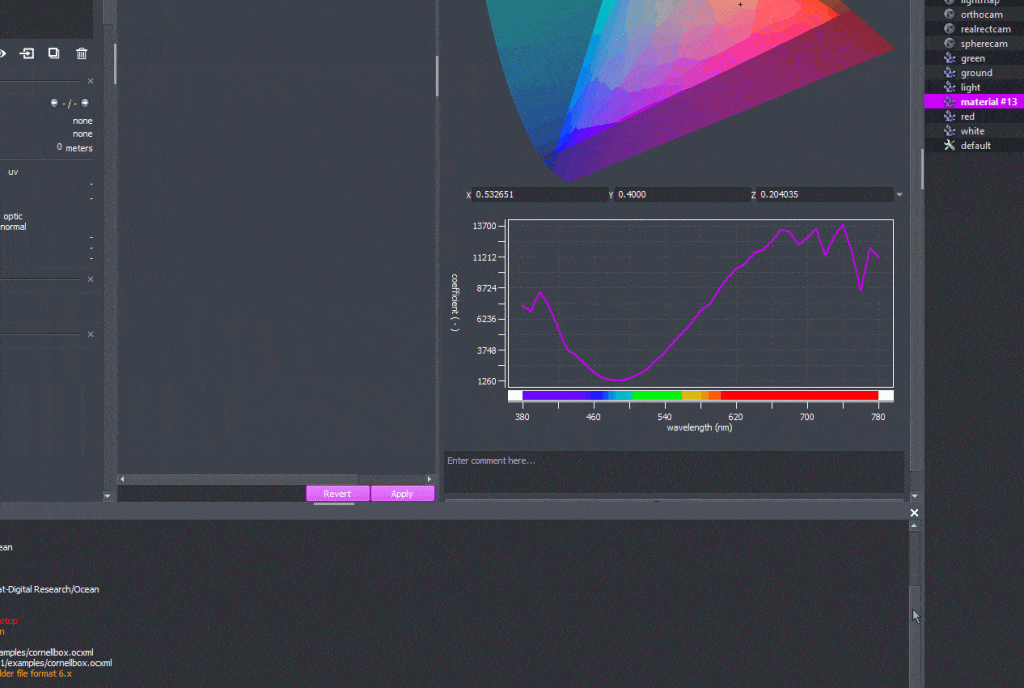
Copying the plot as an image and paste it to a presentation or a report
Layerset setting

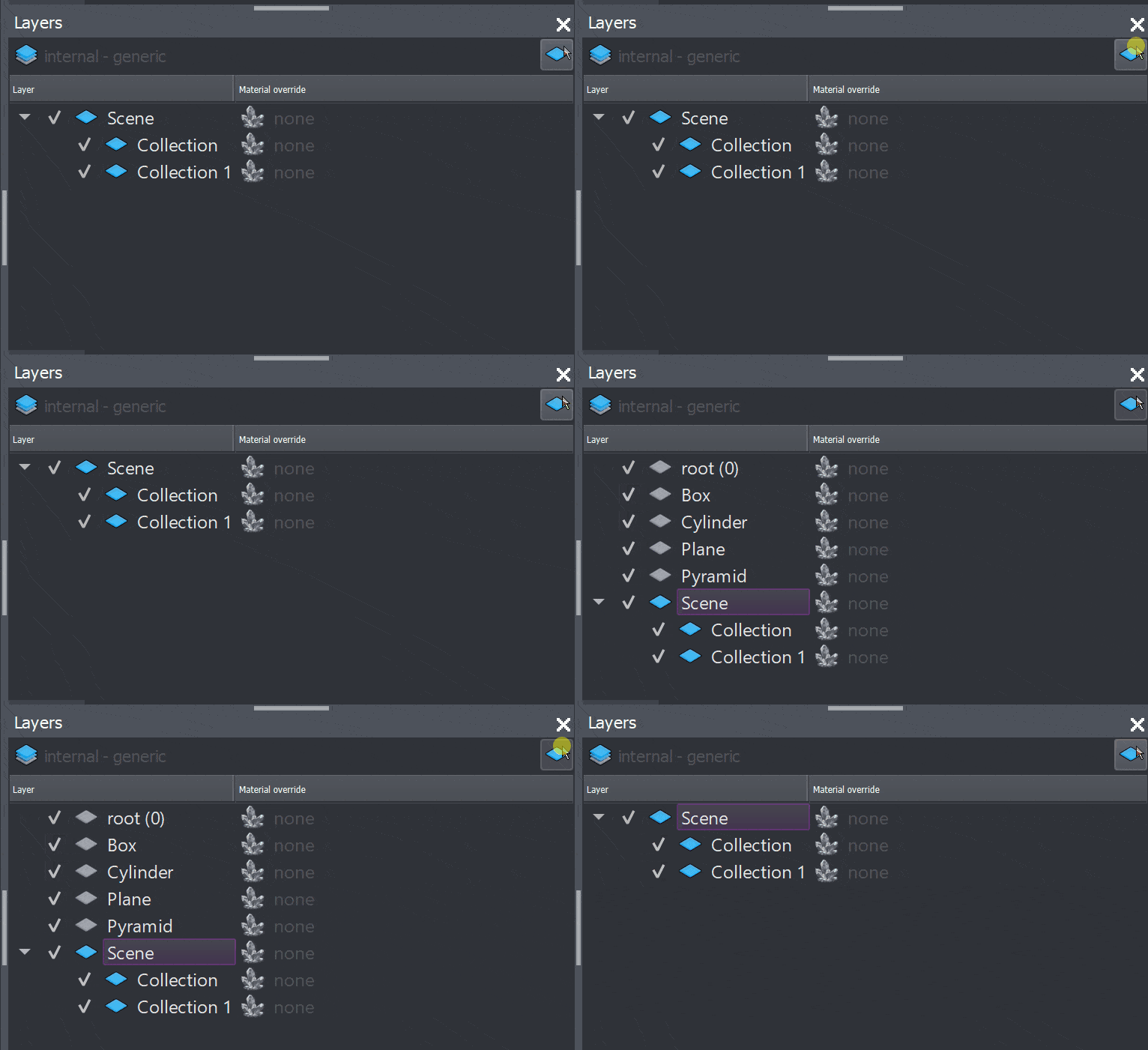
When working on complex project, a common way to organize your Ocean project is to split your scene into multiple Ocean files and use the import feature to link these files. This allows projects to be more flexible and organized. In this workflow, if an object is present in multiple files, Ocean selects the most recent version and discards the others when running the simulation. This behaviour works well for most objects in a scene but can be limitating for layersets. Ocean 2021 gives you more flexibility when importing files with layerset information. You now have the ability to modify layerset information coming from different ocean files rather than just keeping the last version imported. This feature should further improve your control over complex scenes scattered in multiple files.

Layerset merging

Default exportation format

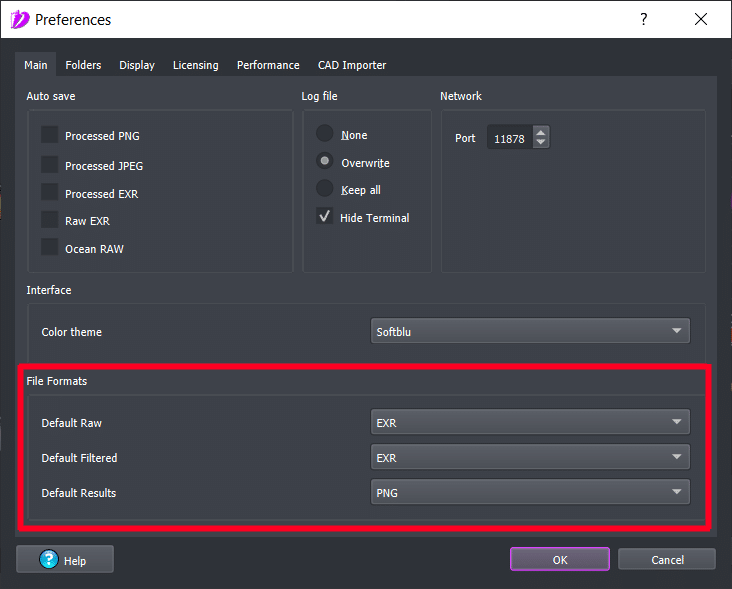
An output format is chosen by default when exporting a simulation from the software. Ocean™ 2021 offers more flexibility by giving you the ability to select a preferred default output format, and thus, ensure a better user experience and increase productivity within the software.

Choosing your default format for each output file
Linked node evolution

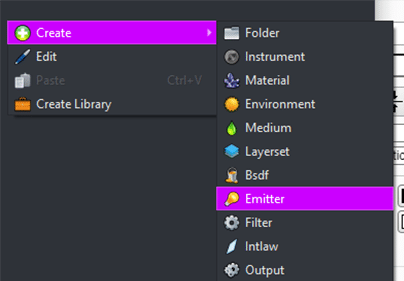
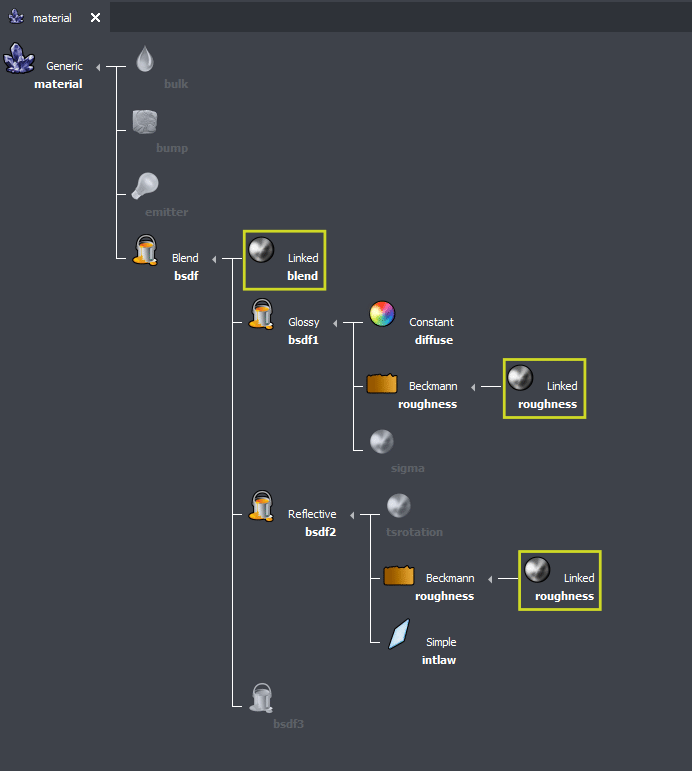
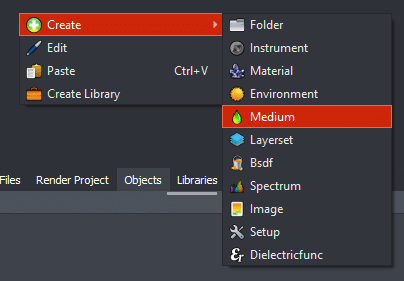
During the preparation of a scene, you often need to quickly swap between different versions of a material or quickly assign the same values to several materials and keep them synced. In Ocean 2021, we decided to generalize the concept of linked nodes. You can now create and link all the nodes you may encounter in the software. This should give you more freedom in the way you organize your scenes and help you deal more effectively with complex objects.
create-nodes-2020 create-node1
Generalisation of node creation in Widget object

Example of a linked node generalising a parameter to different locations of a scene or material

The latest

Blog articles

Responses