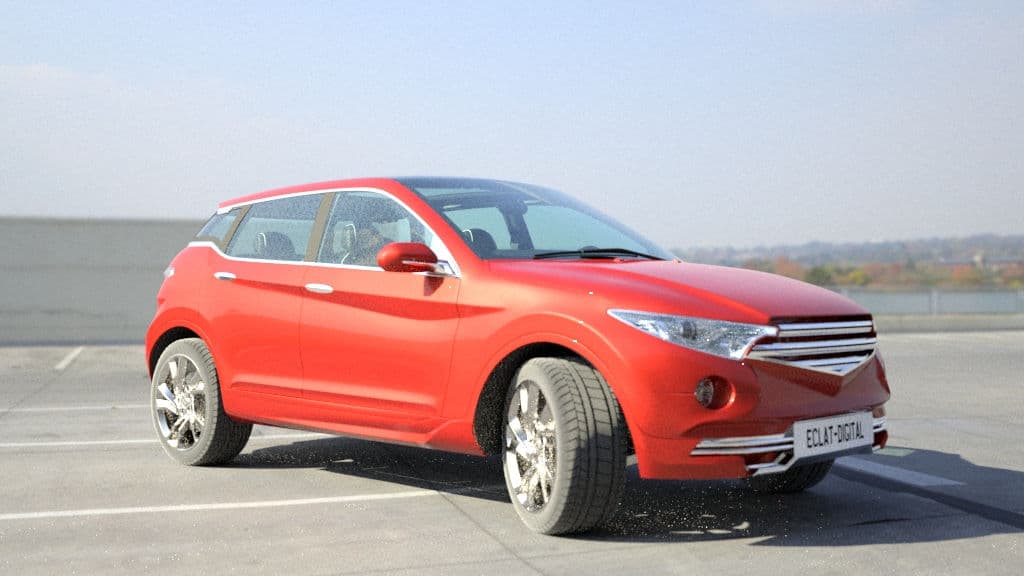
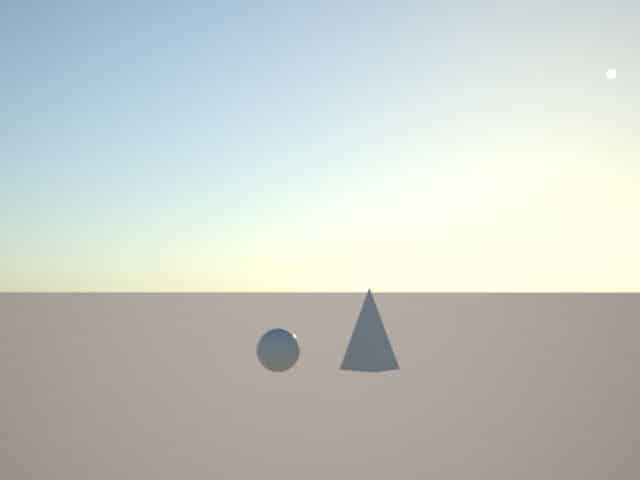
Virtual lighting setup in Ocean™ for realistic lighting simulation

virtual lighting set-up in oceantm

Introduction

For artistic, aesthetic, or physical purposes in search of realism, the representation of light is a crucial point in computer graphics simulation. Incorrectly lit (incorrect parameter, inconsistent data…), an image can appear false and cause visual errors, regardless of the quality of the modelling or rendering of the objects.

This representation of light is usually managed by a lighting model, which considers the characteristics of light sources, object materials and environmental properties. These models can range in complexity from simple single light source lighting models to more advanced global light models.

3D scene lighting procedure

Physical approach

Starting from scratch, a 3D scene is totally dark until we use a light source emitting some energy (photon). Physical properties of a light source (quantity of energy, direction of light rays) interacting with objects surface (material properties) define how the scene will be visible and how it shines.

To make it simple, a light source in 3D is defined by three main properties:

  • Position
  • Direction
  • Intensity (size, energy, power)

Figure 4 – representation of Global Illumination (GI) behaviour

Light sources generate rays casted from its position in each direction.
This light generates what we call “direct illumination”.
When casted rays from direct illumination hit object’s surface, they bounce to other direction creating “indirect illumination”.

This is the most physical, natural, and complex mathematical representation of real-world illumination in 3D, this is called “global illumination” (GI).

Basically, this is how modern software resolve light equation in a 3D scene.

Theorical approach

Lighting a 3D scene could be obvious and straight: just put a sun in a 3D scene and let the magic of physical properties do the rest, but it depends on what we want to achieve. This is where lighting comes into play!

What is the purpose?

Do we want to notice how sunglasses protect from sun? How much this new plastic composition is transparent? How efficient is a greenhouse glazing in a specific place on earth for producing tomato crops? Do we want to accentuate a product by showing it in an aesthetic way?

Figure 5 – Examples of various lighting setup for interior automotive simulation

For all those purposes we must use a combination between technical and aesthetic way.

Light reproduction in a 3D scene

Figure 6 - Shining sun

In real life, sun is the principal source of light for outdoor places and indoors when light can pass through transparent materials like a glass window. When comes the night, the moon gives a global lighting as the sun do, but not with the same energy.

With an indoor scene, without any transparent material letting sun light entering, in order to see something, we have to turn the light on. Then we can use artificial light. Depending on the position, orientation, and energy of this light, we won’t see this place the same way. Outdoor scene can also use artificial lighting when needed (at night, for aesthetic purpose, advertising, information, security, etc.).

When the sun changes position from dusk till dawn, sky color is not the same also shadows are oriented differently. In the middle of a day, when sun is at its zenith, light is very bright shining at its maximum, shadows are very harsh and near to objects. At the beginning or the end of a day, shadows are soft and stretched.

Figure 7 - sky colors through the day

Figure 8 - sun casting rays of light through volumetric clouds

When clouds are coming, sun is hidden but still there emitting its energy passing through volumetrics clouds creating a uniform light and much softer shadows.

In virtual simulations we try to reproduce those physical properties using several technics. This is such parameters we must manage in a 3D scene to mimic physical properties of light in real world.

Figure 9 - examples of spot light effect

Figure 10 - Examples of point/omni light effect

Figure 11 - Examples of area lighting effect

Figure 12 - Main types of virtual light used in CG (Computer Generated) industry

Different types of lights for 3D scenes

Most of 3D softwares use common types of virtual light to simulate physical properties :
  • Omni/point (light emitting from its center to every direction) (candles, lamp bulbs, sconces)
  • Directional (light emitter position is from everywhere but with a specific direction, this orientation defines where are shadows, mostly like the sun)
  • Spot (light emitting as a cone) (simulating interior lamp, street lamp, scene spot light)
  • Area (emitting everywhere from a flat rectangle or circle) (window light, ceiling light)
  • Emissive object (object producing light energy)
  • IES : data properties of manufactured lights (LED, bulb, Neon…), datas can be imported in 3D light to replicate those types of manufactured lights
  • Global illumination “GI” (name of the mathematical calculation of light rays bouncing on surfaces)
We may categorize lighting into 3 types:
  • studio (reproducing artificial lighting)
  • indoor (could be a mix of artificial and natural illumination)
  • outdoor (mostly natural illumination)

Studio lighting

This is the most controlled ambiance. All is artificial.

Figure 16 - Example of a real life standard studio light setup

Figure 17 - Virtual scene of a standard studio light setup

Figure 18 - Different materials simulated with same conditions

1- Lightbooth

Example of a controlled environment : the lightbooth.

We can compare results between virtual lightbooth simulation and photograph of an existing one, with the same exact light conditions.

2- Hangar

Reproducing bigger environment studio for automotive shooting. We need to reproduce size, scale, quantity of energy of the shooting area to get the same behaviour.

Figure 23 - 3D scene of a hangar with studio light setup

Figure 24 - Hangar with studio and natural light setup

Indoor lighting

1- Directional light

Here to reproduce the sun entering by the right window, we are using a directional light which is a simple flat plane (upper right on the first simulation). A Lambertian (isotropic distribution, perfectly diffuse) emitter material is assigned to this plane, notice soft shadows, the attenuation of the light by the distance from light source.

On this second simulation the Lambertian emitter material is replaced by a straight Dirac (unidirectional beam, perfectly collimated) light beam.
The energy value is the same but more concentrated, this is why shadows are sharper and intense.

Figure 28 – Lambertian emitter node in Ocean™ reproducing area light type

Figure 29 – Dirac emitter node in Ocean™

2- Omni/Point Light

The simulation shows a gaussian emitter material on the sphere, very smooth lighting. Acting as a point light. Cosy atmosphere!

Figure 30 – Scene rendered with point light / omni light

3- Area Light

Just in front of each window (from outside), we place a plane with a Lambertian emitter material. Plane is emitting from all its area surface, making bright intensity and with soft shadows.

Figure 31 – area light setup only (no walls)

virtual lighting set-up in oceantm

Figure 32 – 3D scene rendered with area light setup reproducing natural light

4- IES Light

IES light can simulate various kind of manufactured lamps. Very useful for interior arch viz simulation to reproduce specific light product.

Figure 33 – IES emitter node in Ocean™

ies light examples

Figure 34 – Example of IES lights

Figure 35 – IES lights as wall lights
Outdoor lighting

1- Environment maps

The most simple way to simulate an outdoor scene is to use an environment map. It consists of a photograph taken at 360° (like a panorama) with several range of exposure (also called HDR “High Dynamic Range”). This photo is spherically projected from the background, each pixel emits a variable quantity of light (depending on the chosen exposure).

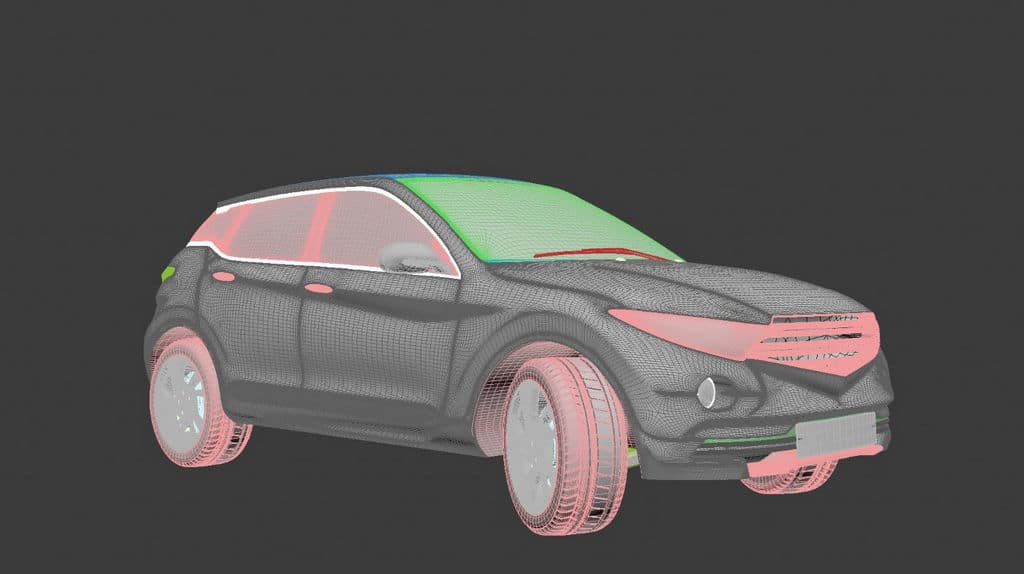
Here the car is placed on a simple ground and then an environmental map is projected as a sphere all around the scene. Each pixel of the photography casts a ray of light with its own intensity.

Figure 38 – 360° HDR environment map used in simulation (note that the orange car in the picture is not the same as the 3D car previously simulated)(SOURCE: https://polyhaven.com/hdris)

In Ocean™, simply create a new environment object, set the type as “Environment map”, in the “External File” node, define where your HDR or EXR file is. You can change the rotation and intensity of this environment object. Finally, don’t forget to assign it to your scene.

Figure 39 – Environment map node in Ocean™
2- Procedural skies

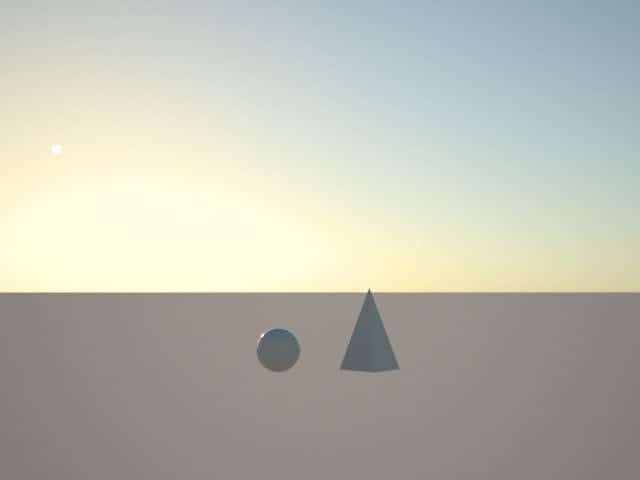
Another way is using procedural Environment. This method provides a parametric environment. Different parameters are available: sun position (elevation, rotation), the colour of the sky is automatically determined by the sun position.

Example of a procedural “Hosek-Wilkie” environment: on the left simulation sun is at 60° (rotation) and 10° (altitude), on the right, sun is at 20° (rotation) and 15° (altitude).

In Ocean™ you can find 3 procedural skies: “Hosek-Wilkie”, “Preetham-Wilkie” and “Perez Sky”

Figure 42 – Procedural sky “Hosek-Wilkie” node in Ocean™

3- Real-world data with Ocean™ sky importer

In addition to environment maps and procedural skies, Ocean™’s Sky Importer offers a reliable way to integrate real-world lighting data into simulations. By importing weather-based illumination conditions, it enables accurate daylighting studies using direct sun and diffuse sky models. This ensures that simulations align with actual environmental conditions, making it an essential tool for projects requiring precise lighting analysis, such as façade performance evaluation and solar exposure studies.

Conclusion

By creating simulations with a realistic representation of light, it is possible to create virtual environments that are indistinguishable from real environments, allowing designers to visualize and present projects before they are built.

Ultimately, the representation of light in imagery is essential for creating realistic and compelling images that can be used in a variety of contexts. Depending on the purpose of the subject, a specific light setup will be used. Thanks to this, we’re able to see how the product (by its shape and material properties) interacts with a given light condition. Or how the given light behaves depending on the environment and material conditions.

The latest

Blog articles

Responses